Access Your PressPass Account
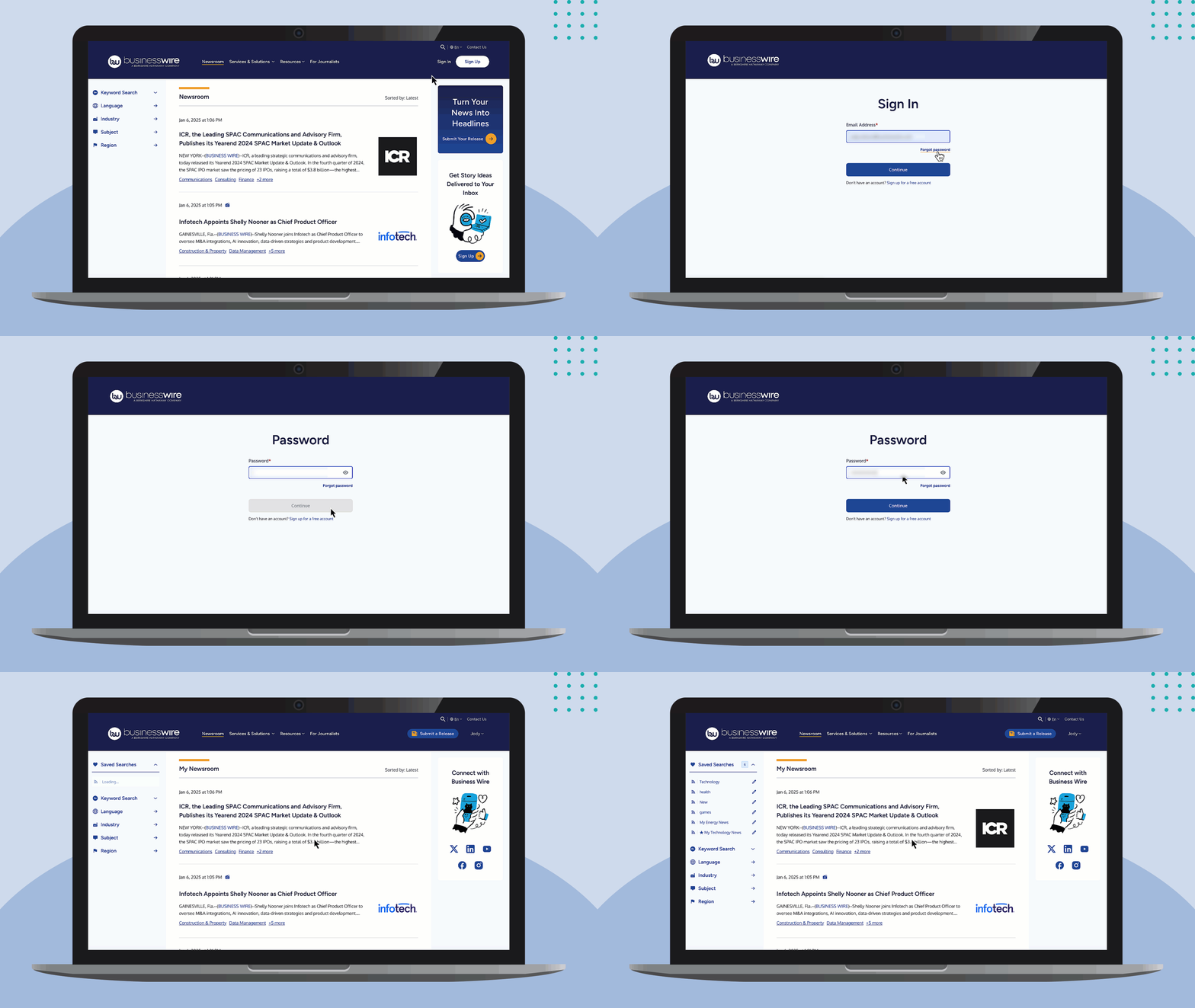
Log in to your PressPass account:
- Click Sign In
- Enter your email address and password.
Need to create a PressPass account? Get started here or follow these step-by-step instructions.
Forgot your password? No problem. Follow these instructions to reset your password.
Access Account & Email Settings
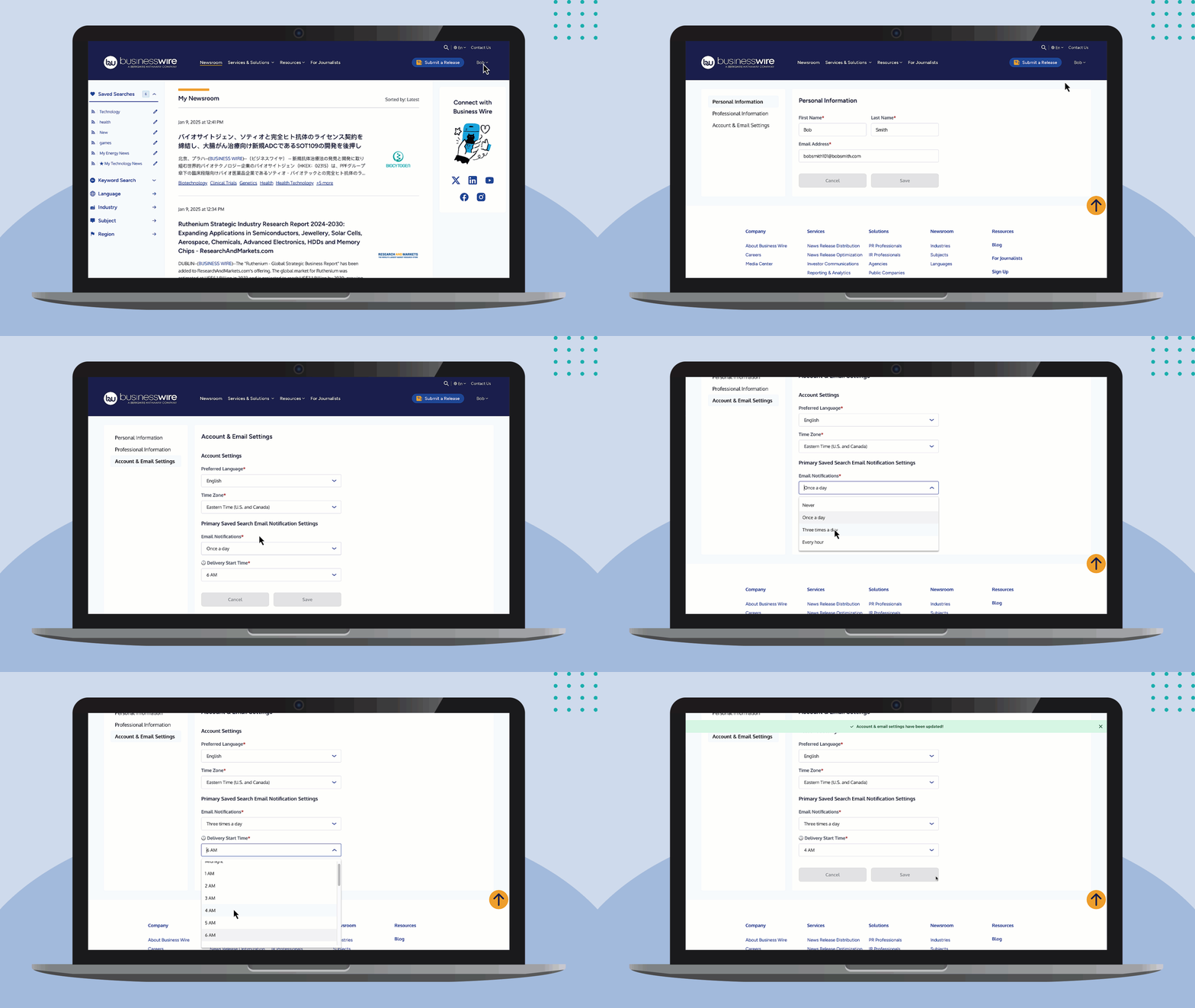
- Click your name and select My PressPass Account.
- Click Account & Email Settings.
- Select or update your Preferred Language from the dropdown.
- Select or update your Time Zone from the dropdown.
Update Your Email Notification Settings
Under Primary Saved Search Email Notifications Settings in your PressPass account, choose your preferred frequency:
- Every Hour
- Three Times a Day
- Once a Day
- Never
If you select Once a Day or Three Times a Day, choose your Delivery Start Time.
Click Save to apply your changes.
Update Other Information
While you’re here, if you need to update your Personal Information (name, email address), Professional Information (company, job title, location), or your account Security Questions, feel free to do so!