
Introducing New Logitech Folio Touch — The Incredibly Versatile and Flexible Keyboard Case Available for 11-inch iPad Pro
Introducing New Logitech Folio Touch — The Incredibly Versatile and Flexible Keyboard Case Available for 11-inch iPad Pro
Logitech’s Keyboard Case With Smart Connector Support and Integrated Trackpad Features Foldable Keyboard and Adjustable Kickstand
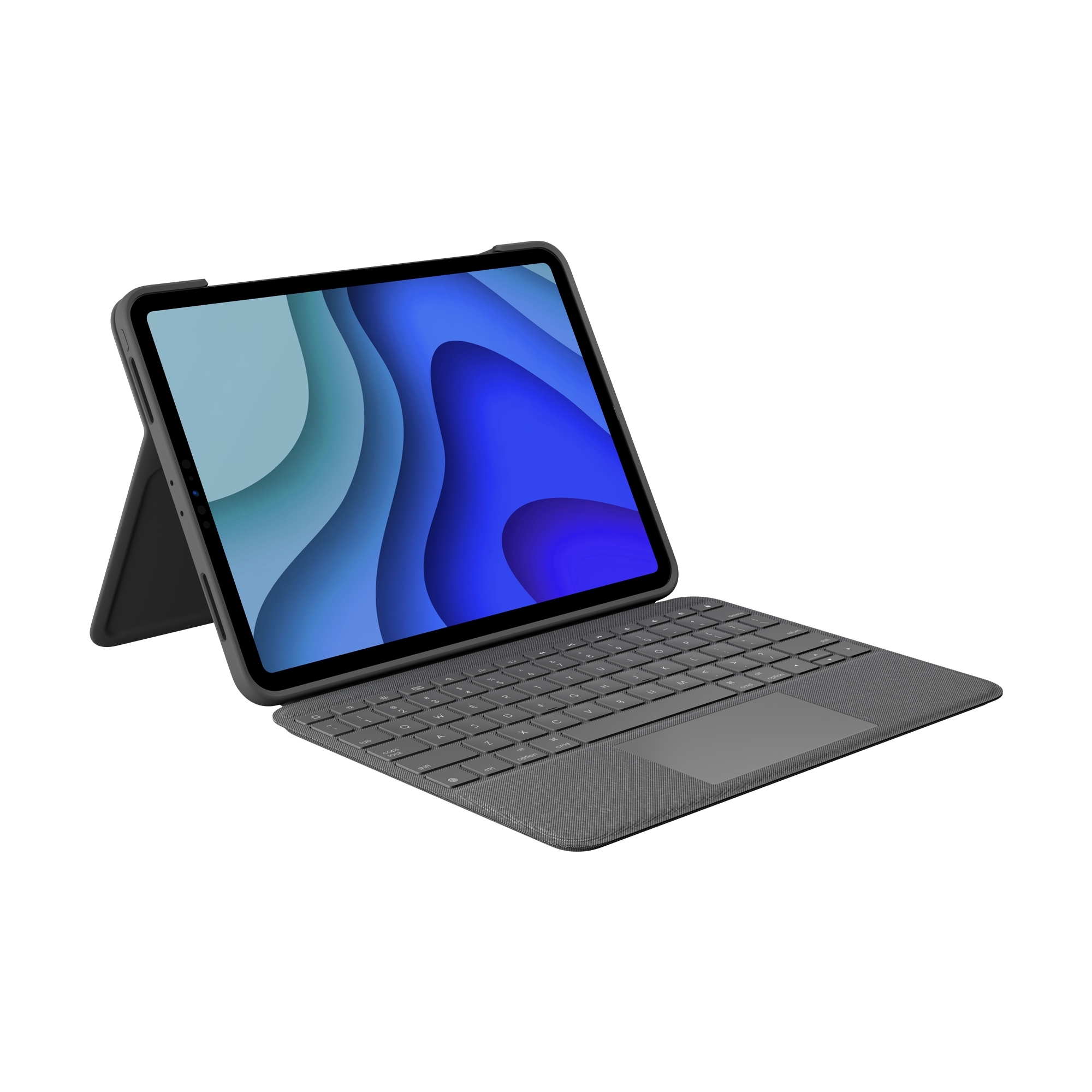
LAUSANNE, Switzerland & NEWARK, Calif.--(BUSINESS WIRE)--Today Logitech (SIX: LOGN) (NASDAQ: LOGI) announced the Logitech Folio Touch, a flexible keyboard case with integrated trackpad for the 11-inch iPad Pro (1st and 2nd generation). The Folio Touch features a versatile laptop-like keyboard that moves and adjusts depending on the selected use, as well as support for Smart Connector.
“The Folio Touch brings a familiar and comfortable laptop keyboard layout to iPad Pro users with incredible flexibility and protection,” said Michele Hermann, vice president of mobility at Logitech. “With the adjustable kickstand and foldable keyboard, iPad Pro users can use the laptop like keyboard and trackpad to get work done and then easily move the keyboard out of the way when they want to sketch, watch videos, or read.”
Work in apps like Pages, Numbers and Keynote with the integrated trackpad and easily highlight spreadsheet cells, copy words and edit emails. Using Folio Touch's trackpad, increase your productivity with the same multi-finger gesture controls you already know and love such as swipe, scroll, switch apps, pinch and double-tap.
Type comfortably and efficiently on a familiar keyboard layout and instantly pair and power your keyboard via the Smart Connector on iPad Pro. There is no need for you to charge Folio Touch since power is sourced directly from iPad Pro. Complete with a full row of shortcut keys for iPadOS, Folio Touch provides easy access to the Home Screen, screen brightness, volume media controls and more. Additionally, the well-spaced backlit keys adjust automatically based on the room lighting, so you can type easily in any environment.
Folio Touch supports four use modes — including typing, viewing, sketching and reading — providing the utmost versatility for iPad Pro users. Dock the keyboard upright and pull out the kickstand, up to 40 degrees, to type out notes or emails. When typing isn’t needed, simply fold back the keyboard and sit back and relax to use iPad Pro for movie watching. The case protects the corners of iPad Pro, and keeps the front and back safe from scuffs, scratches and spills, with the secure magnetic latch holding the case closed so your iPad Pro screen is protected in transit. Folio Touch easily stores either your Logitech Crayon or Apple Pencil (2nd generation) so that it doesn’t get lost and is there when you’re ready to hand-write notes, sketch drawings or mark up documents quickly on iPad Pro.
Pricing and Availability
Logitech Folio Touch is expected to be available in July 2020 for $159.99 at logitech.com and apple.com for the 11-inch iPad Pro (1st and 2nd Generation). For more information, please visit Logitech.com, our blog or connect with us on Facebook, Instagram and Twitter.
About Logitech
Logitech designs products that have an everyday place in people's lives, connecting them to the digital experiences they care about. More than 35 years ago, Logitech started connecting people through computers, and now it’s a multi-brand company designing products that bring people together through music, gaming, video, and computing. Brands of Logitech include Logitech, Logitech G, ASTRO Gaming, Streamlabs, Ultimate Ears, Jaybird and Blue Microphones. Founded in 1981, and headquartered in Lausanne, Switzerland, Logitech International is a Swiss public company listed on the SIX Swiss Exchange (LOGN) and on the Nasdaq Global Select Market (LOGI). Find Logitech at www.logitech.com, the company blog or @Logitech.
Logitech and other Logitech marks are trademarks or registered trademarks of Logitech Europe S.A and/or its affiliates in the U.S. and other countries. All other trademarks are the property of their respective owners. For more information about Logitech and its products, visit the company’s website at www.logitech.com.
(LOGIIR)
Contacts
Logitech
Wendy Spander
1-510-713-5393
wspander@logitech.com