Kanguru Offers Exceptional Data Security Options With Remote Management For Encrypted USB Drives Using KRMC™
Kanguru Offers Exceptional Data Security Options With Remote Management For Encrypted USB Drives Using KRMC™
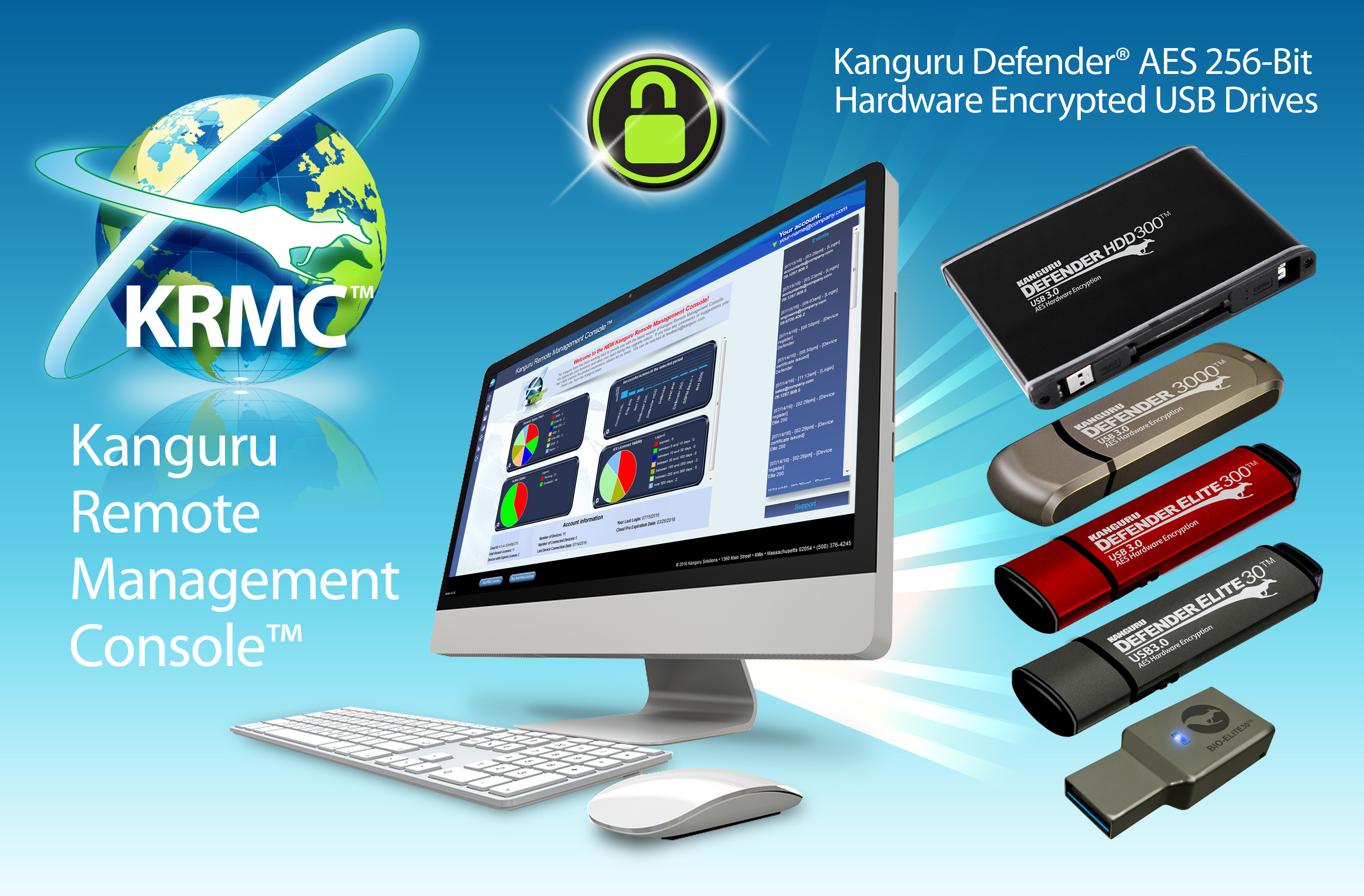
MILLIS, Mass.--(BUSINESS WIRE)--Managing sensitive data in today’s environment can be a daunting task for IT Security Administrators and organizations. Kanguru Remote Management Console™ (KRMC™) offers a robust solution for IT Security Admins looking to meet high-end security demands by allowing administrators to easily manage and monitor their encrypted USB devices containing sensitive data around the world.
Organizations from diverse industries have trusted Kanguru’s secure solutions for over 25 years. KRMC is ideal for protecting data, enabling administrators to set policies, disable or delete lost/stolen drives, track and monitor secure USB drives worldwide, generate reports, and much more.
Latest KRMC enhancements include:
- Support for Kanguru’s New Fingerprint Encrypted USB Flash Drive
- Whitelisting Domains for SSPM™ – (Self-Service Password Management™)
- Event Logging – (Splunk & Graylog Support)
- SSO (Single Sign-On) integration
- Automatic Software Updates for Managed Drives
KRMC now fully supports Kanguru’s new biometric flash drive, the Defender Bio-Elite30 Fingerprint Encrypted Flash Drive, a flexible fingerprint USB device that allows users to simply tap to authenticate and access their encrypted files.
SSPM provides end-users with a password reset flow for their encrypted drives, eliminating associated administrative overhead. Administrators can whitelist up to 10 company domains, restricting resets using undesired domains (like private email addresses).
Event Logging exports captured events in real-time for audit and analysis; for example, User and Administrative logins/logouts, plug-in activity including location, time and date, etc. KRMC can export to industry-leading SIEM software like Splunk and Graylog for compliance. Administrators can then build security rules based on this information to enforce their organization’s security policy.
KRMC now supports SSO integration with some common SAML-based identity providers, allowing KRMC Administrators to conveniently login to KRMC using the company SSO.
KRMC also supports automatic software updates for managed drives. A typical update may contain a range of functionality updates, recent OS compatibility updates, general bug fixes, and more. Keeping up-to-date application versions on the encrypted drives helps to improve the overall account’s security hygiene and protects drives from outdated policies/settings.
To learn more about KRMC™ or other Kanguru products, please call 1-888-KANGURU or visit kanguru.com.
Kanguru Solutions is a global leader in manufacturing high-quality secure data storage products, fully-integrated remote management, duplication equipment and more.
Contacts
Don Wright, Marketing Manager
Kanguru Solutions
marketing@kanguru.com
(1) 508.376.4245