Revision
Management
Revision Management as defined by the IPTC: To support the management and development of news items over time; the standard should reflect the fact that news stories develop gradually, and should assist the management of news over time.
To
view/download this document as a PDF please click Revision Management.pdf
RevisionId
RevisionId is a positive integer indicating the revision of an instance of a NewsML document.
For any two instances of a NewsML document, the one with the larger value of RevisionId is the more recent revision.
Determining the Time Stamp that should be used on a News Item:
NewsML/NewsItem/NewsManagement/ThisRevisionCreated will always be the disclosure time of the current public revision.
NewsML/NewsItem/NewsManagement/FirstCreated is always the disclosure time of the first public revision. This doesn’t indicate the disclosure time of any subsequent revisions – only the first.
The preferred time stamp choices for revision 2 or higher will be ThisRevisionCreated, or DateAndTime (actual transmission time), depending on your news organization’s business logic. BusinessWire.com utilizes ThisRevisionCreated time stamp when posting news – both originals and corrections.
This chart shows a simplified version of the time stamp, and is intended to help you see how the various times are reflected on each public revision: (Format for these fields in the NewsML file is ISO 8601:2000.)
| Revision | DateAndTime | FirstCreated | ThisRevisionCreated |
| r1 | 8:00 | 8:00 | 8:00 |
| r2 | 9:00 | 8:00 | 9:00 |
| Resendr2 | 9:15 | 8:00 | 9:00 |
| r3 | 9:30 | 8:00 | 9:30 |
This next section will show you how the NewsML fields are used to manage an original story, addition, correction, and killing a story.
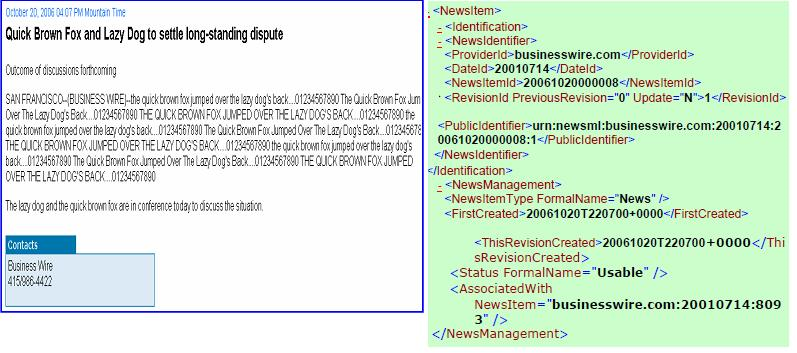
Original Story – 20061021000008r1.xml
Revision management information is
contained in the Status element (NewsML/NewsItem/NewsManagement/Status),
the RevisionId element (NewsML/NewsItem/Identification/NewsIdentifier/RevisionId)
and the Instruction element (NewsML/NewsItem/NewsManagement/Instruction).
Status Element for a story that may be used is: usable
Here is the XPath for Status, Instruction and Genre
Status = NewsML/NewsItem/NewsManagement/Status
Instruction = NewsML/NewsItem/NewsManagement/Instruction
Genre = NewsML/NewsItem/NewsComponent/DescriptiveMetadata/Genre
XPath for NewsML Document Revision Number = NewsML/NewsItem/Identification/NewsIdentifier/RevisionId
Addition to Story: 20061020000008r2.xml
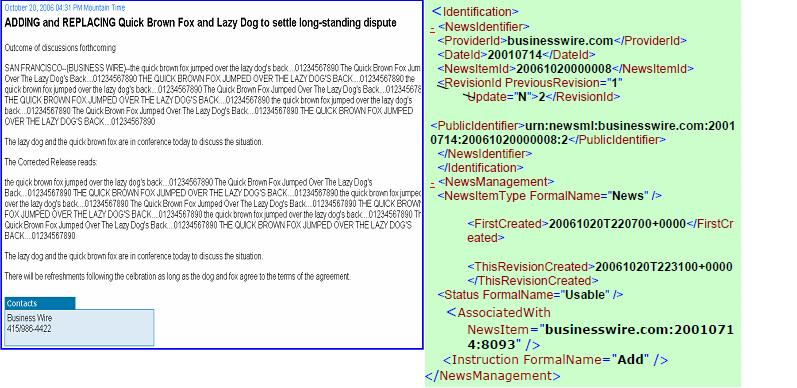
Additions still have the status of
“Usable”. The instruction indicates that this is an “Add”, so therefore
the revision is adding information to the original release. In the above
example the addition is additional text to the release.
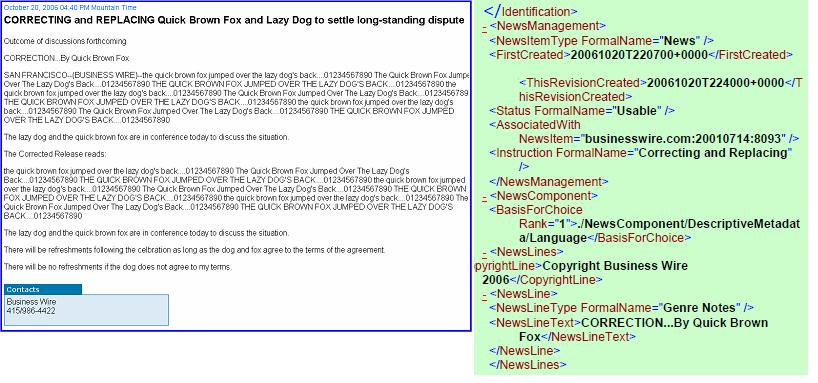
Correcting and Replacing the Story: 20061020000008r3.xml
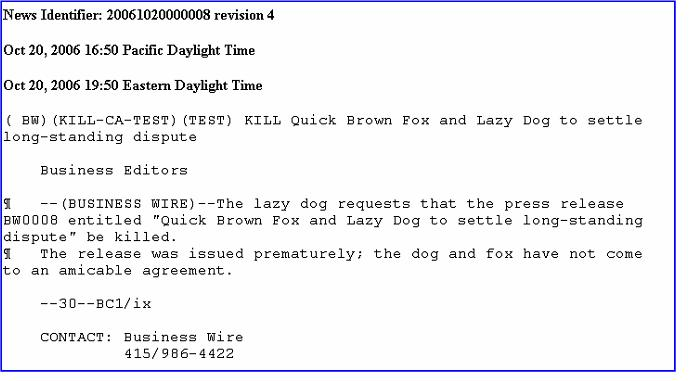
Killing the story:
The previous headline may appear in the queue of headlines, but the link should produce an error message or an explanation of the kill.

This is the result when the headline is clicked:

Here is the NewsML meta-data indicating the release is a kill:
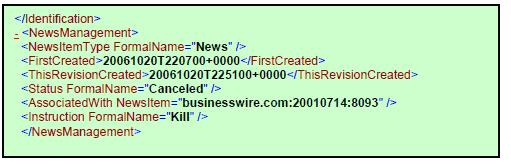
This is an example of how a “Database Kill” would appear. Most online services do not need to post the “Kill” version of the release. The parsing software should eliminate the release from the site’s queue of stories.
To contact Business Wire please e-mail: mrt_techs_group@businesswire.com